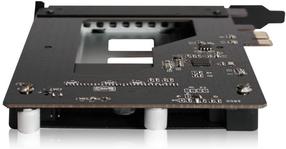
Prekės informacija
Prekės aprašymas anglų kalba:

OC Panel
Overclocking command center
Get your hands on real-time system monitoring and tweaking in two modes. Normal Mode has OC Panel inside the case, while in Extreme Mode it works as an external console. For both, its clear 2.6” display keeps you fully informed and in control of maximum available power.
OC Panel Normal Mode
Easy system monitoring and boosting
Install OC Panel in your PC case easily, as it fits any 5.25” drive bay. When used this way, it operates in Normal Mode, perfect for hardcore gaming and standard overclocking. It shows dynamic CPU temps, ratios, base clocks, and fan RPM info. You can also use one-click instant CPU Level Up, which has two speed boost presets. For cooling, select Turbo, Standard, and Silent CPU fan modes as needed.
OC Panel Extreme Mode
Overclocking made this easy
OC Panel can be used as an external overclocking console, integrating many overclocker-appreciated hardcore features. These include Subzero Sense, VGA SMB, VGA Hotwire, four 4-pin fan headers, Slow Mode, Pause Switch, and multiple parameter tuning. All settings adjustable real-time and quickly applied through easy-reach control buttons.
Integrated Subzero Sense and VGA Hotwire give you super-cool liquid thermal temp readings and field access to streamlined hardware-level GPU overvolting right on the 2.6” display. Easily read current values and set targets on-the-fly, so power comes easy!
* Extreme Mode capabilities, including V1, V2, DRAM and other voltage definitions, vary by chipset. Please refer to your motherboard manual for details.
OC Panel easy setup
Works in just a few steps
In both Normal and Extreme Modes, OC Panel is super-easy to install. Start enjoying its amazing capabilities with a few simple steps

OC Panel
Overclocking command center
Get your hands on real-time system monitoring and tweaking in two modes. Normal Mode has OC Panel inside the case, while in Extreme Mode it works as an external console. For both, its clear 2.6” display keeps you fully informed and in control of maximum available power.
OC Panel Normal Mode
Easy system monitoring and boosting
Install OC Panel in your PC case easily, as it fits any 5.25” drive bay. When used this way, it operates in Normal Mode, perfect for hardcore gaming and standard overclocking. It shows dynamic CPU temps, ratios, base clocks, and fan RPM info. You can also use one-click instant CPU Level Up, which has two speed boost presets. For cooling, select Turbo, Standard, and Silent CPU fan modes as needed.
OC Panel Extreme Mode
Overclocking made this easy
OC Panel can be used as an external overclocking console, integrating many overclocker-appreciated hardcore features. These include Subzero Sense, VGA SMB, VGA Hotwire, four 4-pin fan headers, Slow Mode, Pause Switch, and multiple parameter tuning. All settings adjustable real-time and quickly applied through easy-reach control buttons.
Integrated Subzero Sense and VGA Hotwire give you super-cool liquid thermal temp readings and field access to streamlined hardware-level GPU overvolting right on the 2.6” display. Easily read current values and set targets on-the-fly, so power comes easy!
* Extreme Mode capabilities, including V1, V2, DRAM and other voltage definitions, vary by chipset. Please refer to your motherboard manual for details.
OC Panel easy setup
Works in just a few steps
In both Normal and Extreme Modes, OC Panel is super-easy to install. Start enjoying its amazing capabilities with a few simple steps
Lankytojai taip pat pirko

Paštomatu 0€


TOP prekė
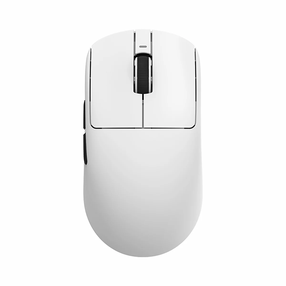
Belaidė žaidimų pelė VXE Dragonfly R1 SE Plus Wireless VXE-R1-SE-PLUS-WHITE, 2.4ghz / usb, balta sp.
29,29 €
Įprasta kaina
37,90 €

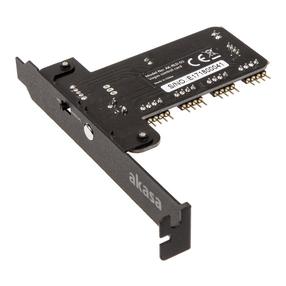
LED apšvietimo valdiklis Akasa
Įprasta kaina
21,09 €

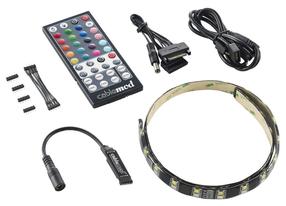
LED juostelė su magnetiniu tvirtinimu BitFenix Alchemy, žalia sp.
Įprasta kaina
4,59 €

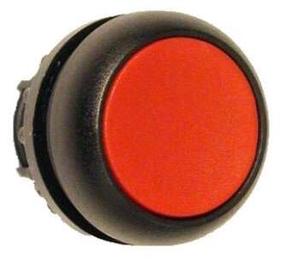
Mygtukinis jungiklis Eaton M22S-DR, juoda sp./raudona sp.
Įprasta kaina
14,69 €