

Prekės informacija
Bendrosios charakteristikos | |
|---|---|
| Prekės tipas | Nešiojami kompiuteriai |
| Prekės ženklas | Asus |
| Serija | Asus Zenbook |
| Modelis | UX435EG-K9211T |
| Kompiuterio tipas | Namams/mokslui |
| Korpuso spalva | Sidabro sp. |
| Svoris | 1.19 kg |
| Ilgis | 319 mm |
| Plotis | 199 mm |
| Aukštis | 16.9 mm |
Ekranas | |
| Ekrano įstrižainė | 14 " |
| Ekrano paviršiaus tipas | Matinis |
| Įmontuotas privatumo filtras | Ne |
| Liečiamas ekranas | Ne |
| Ekrano raiška | 1920 x 1080 |
Operacinė sistema | |
| Įdiegta operacinė sistema | Windows |
Procesorius | |
| Procesoriaus klasė | Intel® Core™ i5 |
| Procesoriaus karta | Tiger Lake (Intel) |
| Procesoriaus tipas | Intel |
| Procesoriaus modelis | Intel® Core™ i5-1135G7 |
| Procesoriaus branduoliai | 4 |
| Procesoriaus dažnis | 2.4 GHz |
| Buferinė atmintis (Cache) | 8 MB |
Operatyvioji atmintis | |
| Operatyviosios atminties tipas | DDR4 |
| Operatyvioji atmintis (RAM) | 8 GB |
| Operatyviosios atminties taktinis dažnis | 2400 MHz |
Kietasis diskas | |
| Laikmenos tipas | SSD |
| Kietojo disko talpa (HDD) | - |
| SSD disko talpa | 512 GB |
| Bendra kompiuterio atminties talpa | 512 GB |
Vaizdo plokštė | |
| Integruota vaizdo plokštė | Ne |
| Vaizdo plokštės tipas | Nvidia |
| Vaizdo plokštės serija | Geforce |
| Vaizdo plokštės modelis | Nvidia MX |
| Vaizdo plokštės atmintis | 2 GB GDDR5 |
| VR (Virtual reality) ready | Ne |
| nVidia G-Sync | Ne |
| AMD FreeSync | Ne |
Jungtys ir valdymas | |
| Jungtys | 1 x USB 3.2 Gen 1 Type A, 2 x Thunderbolt 4, Combo audio jack, HDMI |
| Tinklo plokštė | 802.11ax |
Integruoti papildomi įrenginiai | |
| Optinis įrenginys | Ne |
| Garso plokštės modelis | Harman/Kardon (Premium) |
| Su vaizdo kamera | Taip |
| Integruotas mikrofonas | Taip |
| Integruotas kortelių skaitytuvas | Taip |
| Palaikomos atminties kortelės | Micro SD |
Klaviatūra ir korpusas | |
| Korpuso medžiaga | Metalas |
| Klaviatūros kalba | Anglų / Rusų |
| Klaviatūros apšvietimas | Taip |
| Atskiras skaičių blokas | Ne |
| Mechaniniai klavišai | Ne |
| Atspari drėgmei klaviatūra | Ne |
Baterija ir saugumas | |
| Baterijos technologija | Li-Ion |
| Garantija baterijai | 12 mėn |
| Saugos sistema | TPM |
| Pirštų atspaudų skaitytuvas | Ne |
Papildomai | |
| 4G ryšio palaikymas | Ne |
| Privaloma garantija | 24 mėn |
Pastebėjai klaidą prekės aprašyme, savybių lentelėje ar nuotraukų galerijoje? Pranešk mums
Prekės atspalvis gali skirtis nuo matomo nuotraukoje.
The lightweight ZenBook 14 combines superb performance and effortless portability with timeless good looks. Weighing as little as 1.19 kg, ZenBook 14 includes the revolutionary ASUS ScreenPad for enhanced productivity, and is powered by 11th Gen Intel Core processors and NVIDIA GeForce MX450 discrete graphics. With its great battery life, ZenBook 14 helps you get more done, wherever you are.
MOBILITY
Get more done, with less effort
ZenBook 14 is designed for effortless on-the-go productivity, with a highly portable lightweight design and an outstanding battery life that frees you to concentrate fully on tasks.
DISPLAY
Immersive four-sided NanoEdge display
ZenBook 14 features a frameless four-sided NanoEdge wide-view display, with slim bezels that create a 92% screen-to-body ratio for incredibly immersive viewing experiences. This bright and clear display has a wide, 100% sRGB color gamut to ensure vivid colors.
ScreenPad
The Intelligent touchpad, evolved
The new ScreenPad upgrades the traditional laptop experience, adding an interactive secondary touchscreen that enhances your productivity with more possibilities. Its intuitive smartphone-like interface lets you easily manage tasks and create your own seamless multitasking workflow. There’s a series of handy ASUS utility apps to boost productivity including Phone Call, Task Group, Handwriting, and so on. There are also useful quick controls that improve the interactions between the main display and ScreenPad: for example, you can now launch a video or chat box — or many other apps — onto ScreenPad to take advantage of the extra space wherever you are, and without interrupting your work on the main display.
Drag an app onto the App Switcher icon to move it from the main screen to ScreenPad. You can also long-tap the App Switcher icon on ScreenPad to preview the open ScreenPad window on the main screen, or short-tap to move it to the main screen.Tap the Mode Switch icon to switch between ScreenPad control and touchpad functions. You can also quick-tap with three fingers to temporarily enable cursor mode: it will revert back to touch mode after 2 seconds.Swipe left to the last screen to add the selected apps to ScreenPad.Tap the App Navigator icon in the control center to view and manage all open apps on both screens.Customize app groups and use the Task Group icon to open multiple apps with one tap.Simply click on the Link to MyASUS icon when your laptop is paired with your phone to easily make phone calls from your laptop.With Handwriting you can take notes and record your thoughts or ideas the natural way.Number key is the easy and intuitive way to enter numeric data.
ScreenPad
More Possibilities
ScreenPad intelligently fits many apps into the 5.65-inch touchscreen, and you can effortlessly add apps to ScreenPad for instant access. The newly-optimized ScreenPad experience ensures that your favorite apps, such as Evernote and Spotify, will work perfectly on this secondary display right away, without the need for a ScreenPad-specific version. ASUS also works closely with third party developers, including video-editing software developer Corel, to optimize adaptive ScreenPad tools for the ultimate productivity — and there’s much more to come. Get ready for the ScreenPad revolution!
PERFORMANCE
Superb all-round performance
The latest 11th Generation Intel Core processors in ZenBook 14 deliver enhanced performance for effortless multitasking or entertainment, and up to a NVIDIA GeForce MX450 discrete GPU offers a silky-smooth graphics. ZenBook 14 also features ultrafast storage, with up to a 1 TB PCIe 3.0 x4 SSD or a PCIe SSD accelerated with 32 GB of Intel Optane Memory H10. ZenBook 14 has superb all-round performance that makes any task easier.
DESIGN
Get more done, anywhere
The elegant and lightweight ZenBook 14 makes it easy to work efficiently on the go. Whatever you need to do, and wherever you are, ZenBook 14 boosts productivity.
CONNECTIVITY
Full I/O ports, fast WiFi 6
ZenBook 14 includes a full complement of I/O ports, including full-size HDMI and USB Type-A ports. The power of Thunderbolt 4 is also at your disposal, with two USB-C ports. For easy data transfers from mobile devices, there’s also a MicroSD card reader. WiFi 6 (802.11ax) offers wireless connectivity with speeds that are up to 3x faster than WiFi 5. Included ASUS WiFi Master technology improves connectivity even further.
NOISE CANCELATION
Next-level AI noise-canceling audio technology
With the increase of remote work and video conferences, we implemented the ASUS AI noise-canceling technology to ensure the best experience. ASUS AI noise-canceling audio employs machine learning in order to isolate unwanted noise from human speech. The ClearVoice Mic feature in the MyASUS app can filter out ambient noise, and normalize all individual voices in Multi-presenter mode from different positions for optimum group conference-call quality. The ClearVoice Speaker feature filters out all ambient noise apart from human speech — so you’ll hear what everyone else is saying. Try the demo to experience the amazing difference in different environment
USER EXPERIENCE
Designed for comfort and convenience
ZenBook 14 is protected by ASUS BacGuard, a new antibacterial treatment that helps to reduce the spread of harmful bacteria via contact. The ergonomic keyboard ensures precise feedback and comfortable typing experiences, and convenient function keys give you instant access to common tasks and features. For easy data entry, there’s the ASUS NumberPad 2.0, and the infrared (IR) camera makes face login fast and easy with Windows
Hello, even in dark environments.
NUMBERPAD ERGOLIFT ASUS BACGUARD FUNCTION KEYS IR CAMERA
ZenBook 14 is available with the innovative ASUS NumberPad 2.0, a dual-function touchpad with an integrated LED-illuminated numeric keypad. Even when NumberPad is activated, the touchpad can be used for cursor control thanks to its intelligent software.
SOFTWARE
MyASUS: Your exclusive app collection
ZenBook 14 includes the latest version of MyASUS, a collection of handy ASUS apps and tools that help you get more out of your ZenBook 14. Use it to team your iOS or Android phone with your laptop, to optimize your laptop’s performance, or to contact after-sales service and support. There’s also a huge range of popular app downloads and exclusive offers just for you!
AUDIO
Certified audio quality
The audio system of ZenBook 14 is certified by audio specialists Harman Kardon to ensure immersive, crystal-clear sound for communications or entertainment.
MILITARY GRADE
Toughness you can rely on
ZenBook 14 meets the ultra-demanding MIL-STD-810H military standard for reliability and durability, undergoing a punishing test regime that includes drop and vibration tests, along with extended tests for operation in harsh environments, including extremes of altitude, temperature and humidity. It also passes ASUS laptop tests that far exceed standards set by the industry.
MEET THE FAMILY!
A ZenBook for every need
The new ZenBook Classic series gives you a choice of two 14-inch models. For the ultimate traveler, there’s the ZenBook 14 Ultralight (UX435EAL / UX435EGL), while ZenBook 14 (UX435EA / UX435EG) with ScreenPad is perfect for on-the-go productivity. Choose your ideal portable companion today!
Lankytojai taip pat pirko
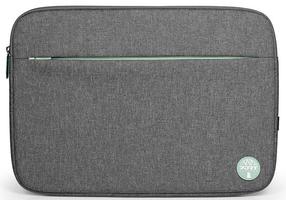
Nešiojamo kompiuterio krepšys Port Designs Yosemite Eco 400704, pilka sp., 13-14"
23,86 €
Įprasta kaina
29,99 €

TOP prekė

Paštomatu 0€

0 % PABRANGIMAS 12 MĖN.
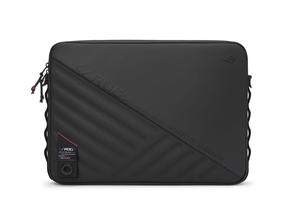
Dėklas, lagaminui Asus ROG Slash Sleeve 4.0 BS3601, juoda sp., 5.13 l, 14-16"
58,90 €
Įprasta kaina
66,90 €


