Prekės informacija
Bendrosios charakteristikos
Prekės tipas
Prekės ženklas
Serija
Modelis
UM3504DA-NX164W
Kompiuterio tipas
Atnaujintas
Korpuso spalva
Svoris
1.4 kg
Ilgis
226 mm
Plotis
354 mm
Aukštis
14.9 mm
Ekranas
Ekrano įstrižainė
15.6 "
Ekrano paviršiaus tipas
IPS ekranas
Ne
Įmontuotas privatumo filtras
Ne
Liečiamas ekranas
Ne
Ekrano raiška
2880 x 1620
Ekrano dažnis
120 Hz
Ekrano tipas
OLED
Operacinė sistema
Įdiegta operacinė sistema
Palaikomos operacinės sistemos
Windows 10, Windows 11
Procesorius
Procesoriaus klasė
Procesoriaus karta
AMD Ryzen™ (AMD)
Procesoriaus tipas
AMD
Procesoriaus modelis
AMD Ryzen™ 7 7735U
Procesoriaus branduoliai
8
Procesoriaus dažnis
2.7 GHz
Buferinė atmintis (Cache)
16 MB
Pagrindinės plokštės modelis
AMD SoC
Operatyvioji atmintis
Operatyviosios atminties tipas
DDR4
Operatyvioji atmintis (RAM)
Kietasis diskas
Laikmenos tipas
SSD
Kietojo disko talpa (HDD)
-
SSD disko talpa
Bendra kompiuterio atminties talpa
1 TB
Vaizdo plokštė
Integruota vaizdo plokštė
Vaizdo plokštės tipas
AMD
Vaizdo plokštės serija
Radeon
Vaizdo plokštės modelis
Vaizdo plokštės atmintis
Dynamic
VR (Virtual reality) ready
Ne
nVidia G-Sync
Ne
AMD FreeSync
Ne
Jungtys ir valdymas
Jungtys
1 x USB 3.2 Type-C (with charging function, DisplayPort), 1 x USB 4.0 Type-C/ (with charging function), 3.5 mm (AUX), HDMI, USB 3.2
Tinklo plokštė
Wi-Fi 6E
Jutiklinė juosta ("Touch Bar")
Ne
Bluetooth sąsaja
Taip
Integruoti papildomi įrenginiai
Optinis įrenginys
Ne
Garso plokštės modelis
Built-in
Su vaizdo kamera
Taip
Integruotas mikrofonas
Taip
Integruotas kortelių skaitytuvas
Ne
Palaikomos atminties kortelės
-
Garso sistema
Harman Kardon
Klaviatūra ir korpusas
Korpuso medžiaga
Metalas, Plastikas
Klaviatūros kalba
Klaviatūros apšvietimas
Atskiras skaičių blokas
Mechaniniai klavišai
Taip
Atspari drėgmei klaviatūra
Ne
Baterija ir saugumas
Baterijos technologija
Li-Ion
Integruota baterija
Taip
Saugos sistema
TPM
Pirštų atspaudų skaitytuvas
Ne
Papildomai
4G ryšio palaikymas
Ne
Privaloma garantija
24 mėn
Pastebėjai klaidą prekės aprašyme, savybių lentelėje ar nuotraukų galerijoje? Pranešk mums
Prekės atspalvis gali skirtis nuo matomo nuotraukoje.
The most compact design ever
ZenBook 15 heralds a new era of ultraportable design, with an ultracompact, ultralight chassis. Featuring the four-sided NanoEdge display, ZenBook 15 is one of the world’s smallest 15-inch laptop and is 12% smaller than the previous generation ZenBook 15 (UX530) — so you can explore your creative vision anywhere!
Unbounded beauty
Designed to give you more screen area in less physical space, the NanoEdge design has slimmer bezels2 on all four sides to make any visuals more immersive, with less distraction for your eyes. It also features wide-view technology for clear images even when viewed from extreme angles. ZenBook 15 has a crisp, clear, high-resolution display that makes any visuals look their best, with wide viewing angles and vivid, accurate colors.
Designed with you in mind
With any ZenBook, your comfort is one of our top priorities. ZenBook 15 goes the extra mile with its exclusive ErgoLift hinge, an engineering masterpiece designed to automatically tilt the keyboard to the most comfortable typing position. But that’s not all: the carefully calculated tilt improves cooling and audio performance, too.
Extraordinary elegance
None of the traditional ZenBook style has been lost, though: there’s the iconic Zen-inspired spun-metal finish on the lid and a choice of prestigious Royal Blue or sophisticated Icicle Silver finishes, both newly enhanced with a contrasting Rose Gold trim panel above the keyboard for an extra touch of luxury. The elegant Royal Blue color is inspired by the awesome beauty of a golden sunrise over the deep-blue ocean. The sophisticated Icicle Silver reflects the stunning contrasts of native gold and moonlight silver, a harmonious pairing celebrated in this classic theme.
The intelligent touchpad, evolved
The new ScreenPad™ 2.0 upgrades the traditional laptop experience, adding an interactive secondary touchscreen that enhances your productivity with more possibilities. Its intuitive smartphone-like interface lets you easily manage tasks and create your own seamless multitasking workflow. There's a series of handy ASUS utility apps to boost productivity including Quick Key — for one-tap automation of complex keyboard sequences — along with Handwriting, Number Key and Office Xpert. There are also useful quick controls that improve the interactions between the main display and ScreenPad: for example, you can now launch a video or chat box — or many other apps — onto ScreenPad to take advantage of the extra space wherever you are, and without interrupting your work on the main display.
More Possibilities
ScreenPad™ 2.0 intelligently fits many apps into the 5.65-inch touchscreen, and you can effortlessly add apps to ScreenPad for instant access. The newly-optimized ScreenPad experience ensures that your favorite apps, such as Evernote® and Spotify®, will work perfectly on this secondary display right away, without the need for a ScreenPad-specific version. ASUS also works closely with third party developers, including video-editing software developer Corel®, to optimize adaptive ScreenPad tools for the ultimate productivity — and there’s much more to come. Get ready for the ScreenPad revolution!
* Software interface depicted is Spotify®
Uncompromising performance
Designed to empower your creativity, ZenBook 15 doesn’t sacrifice performance for size. It’s built to give you all the raw power you need for effortless on-the-go computing. Featuring the latest Intel® Core™ processors, discrete NVIDIA® graphics and a full complement of high-quality, high-performance components, ZenBook 15 will never keep you waiting. Whether you’re creating complex documents, mining data, retouching photos, or editing videos, ZenBook 15 lets you do more — and do it quicker.
No-compromise productivity
For easy productivity on the go, ZenBook 15 is equipped with backlit keyboard that delivers a superb typing experience. It’s a masterpiece of ergonomics, with just the right amount of key travel. In addition, several dedicated hotkeys give you the convenience of capturing screen grabs or locking the system with a single key press.
Every connection you need
When you’re working on the go, it’s vital to be able to connect with anything and everything. ZenBook 15 features the revolutionary USB-C™ port for any-way-up connections and superfast USB 3.1 Gen 2 data transfers. And you’ll also find 2 USB 3.1 Type-A port, a HDMI port and a SD card reader, so it’s easy to connect to all your current and future peripherals.
Mobility without bounds
Step out of your workstation and into the future — whether at home, a quaint downtown café, or the airport — your office is wherever you choose it to be. Intel Wi Fi 6 with Gig+ (802.11ax) delivers superfast networking speeds for faster large file transfers, responsive online gaming, and super smooth video chats.
All-day battery for non-stop lifestyles
ZenBook 15 is powered by a high-capacity battery that won’t let you down, however long and demanding your working day is. Extended journeys or day-long meetings are no problem for ZenBook 15, even when power outlets are in short supply!5
The ultimate audio experience
ASUS SonicMaster is a combination of hardware, software and audio tuning designed with the goal of giving you the very best audio experience. A tailored mix of superior hardware — including smart amplifier technology that delivers louder sound with no distortion — and cleverly designed software ensure that ZenBook 15 gives you the ultimate audio experience.
The laptop that recognizes you!
So you can stay productive throughout the day, ZenBook 15 features the convenient, time-saving Alexa6 and Cortana voice-controlled digital assistants that let you do more, anytime and anywhere. It also includes an advanced infrared (IR) camera that ensure fast, reliable hands-free face login with Windows Hello. Once you’ve experienced the convenience of hands-free computing, you’ll wonder how you ever managed without it!
Ultratough: military-grade durability
ZenBook 15 meets the ultra-demanding MIL-STD-810G military standard for reliability and durability, undergoing a punishing test regime that includes extended tests for operation in harsh environments including extreme altitudes, temperatures and humidity. It has also passed ASUS internal laptop tests that far exceed the standards set by the industry.
* According to overall desktop footprint (width x depth), as of May 8, 2019 based on internal ASUS market analysis comparing ZenBook 13/14/15 laptop size to competing products in their class (laptops with a screen measuring 13.3 inches, 14 inches and 15.6 inches) from vendors including Acer, Apple, HP, Huawei, Lenovo, Microsoft and Samsung.
1 Weight may vary according to configuration.
2 The stated width of the side bezel is the distance between the edge of the non-active screen display area and the inside edge of the case. If the case width is included, the side bezel width is 4mm. The stated width of the bottom bezel is the distance between the edge of the non-active screen display area and the visible edge of the display when the laptop is opened to 90°. Measured based on standard (not anti-glare) display configuration.
3 Unless otherwise stated, all performance claims are based on theoretical performance. Actual figures may vary in real-world situations.
4 Wi-Fi Master test configuration: under controlled test conditions, streaming Full HD YouTube videos, and AP set with one antenna at 802.11g. Actual Wi-Fi range and performance may be affected by environmental factors. Interference from USB 3 devices may vary according to the device. Range comparisons refer to standard laptop with all-metal chassis design.
5 Battery life test configuration: Intel® Core™ i5-10210U, 8GB RAM, FHD display, 256GB PCIe® SSD. Battery tests conducted by ASUS in July 2019 using the MobileMark® 2014 Office Productivity scenario. Test settings: Wi-Fi enabled, display brightness set to 71%, ScreenPad turned off. Actual battery life may vary depending on product configuration, usage, operational conditions and power management settings. Battery life will decrease over the lifetime of the battery. With ScreenPad turned on, the battery life was 11.2 hours.
6 Amazon Alexa availability varies according to country. Please check with your local ASUS retailer for details.
Lankytojai taip pat pirko

Paštomatu 0€
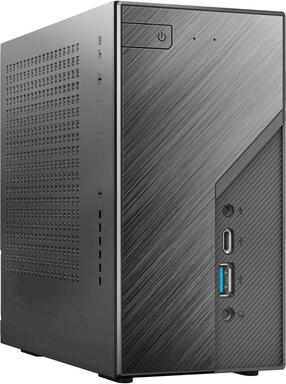
Stacionarus kompiuteris ASRock 7735U, DDR5 0 GB, SSD –, AMD Radeon™ 680M - Barebone NUC
Įprasta kaina

TOP prekė
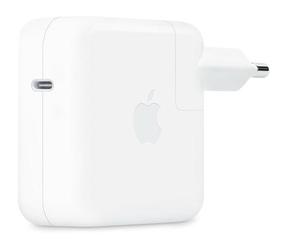
Nešiojamo kompiuterio įkroviklis Apple USB-C Power Adapter MXN53ZM/A, 70 W, 100 - 230 V, 0 m
Įprasta kaina
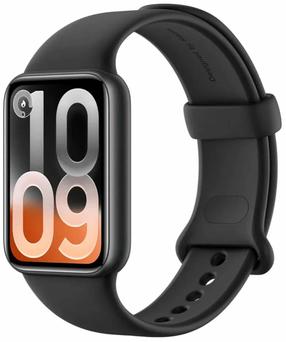
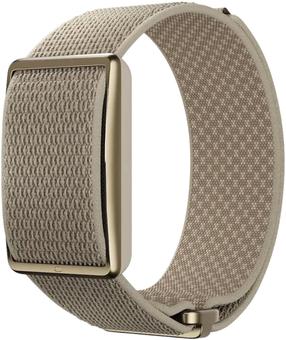
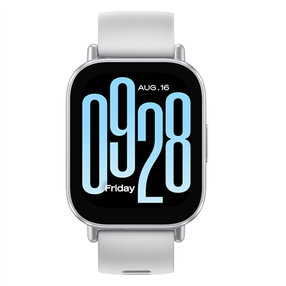
Išmanusis laikrodis Xiaomi Redmi Watch 5 Active BHR8790GL, pilka sp./sidabro sp.
Įprasta kaina
Paštomatu 0€
Paštomatu 0€