Skip to content
Senukai.lt logoSenukai.lt lankomiausia internetinė parduotuvė logo
Krepšelis

NaN prekių


Viso
Eiti į krepšelį
Laidinė žaidimų pelė Aula Killing The Soul Expert, mėlyna sp./juoda sp. | Kompiuterinė technika, biuro prekės | Senukai.lt | 0

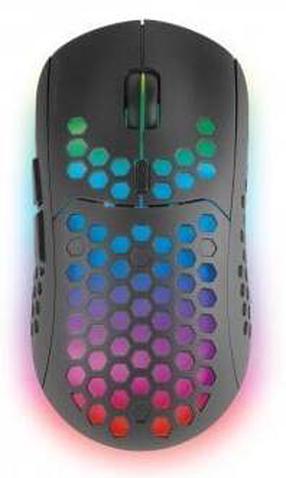
Laidinė žaidimų pelė Aula Killing The Soul Expert, mėlyna sp./juoda sp.


Išparduota

Prekė šiuo metu yra išparduota

Prekės informacija

Bendrosios charakteristikos

Prekės ženklas

Aula

Pelės tipas

Žaidimams

Modelis

Killing The Soul Expert

Mygtukų skaičius

7

Ilgis

115 mm

Plotis

77 mm

Aukštis

39 mm

Jungtys ir maitinimas

Pelės pajungimo tipas

Laidinės - optinės

Jungties tipas

USB

Laido ilgis

1.56 m

Sensorius

Jautrumas (DPI)

800 - 2000

Šviesos šaltinis

Šviesos diodas

Papildomai

Funkcijos

Nėra

Privaloma garantija

24 mėn

Pastebėjai klaidą prekės aprašyme, savybių lentelėje ar nuotraukų galerijoje? Pranešk mums

Prekės atspalvis gali skirtis nuo matomo nuotraukoje.

Aula Killing The Soul
Prekės aprašymas anglų kalba:

  • Wired Gaming Mouse
  • Dual Mode: Gaming and Multimedia (Press the DPI Button more than 5 seconds to Switch)
  • High Resolution: 2000DPI
  • Adjustable resolution feature: 800/1200/1600/2000DPI
  • FPS Switch Model: 500HZ- 1000HZ
  • Auto-Fire Button (One Click - keeps firing until off)
  • Forward, Backward, and Side Buttons
  • One Windows Internet Explorer Button (In Multimedia Mode)
  • Music Player Buttons (Volume+/- Play/Stop Next/Back - In Multimedia Mode)
  • Size: ~4.5 x 3.0 x 1.5 inches
  • Switch Life: 10 million cycle
  • 16-bit ultra-wide data path
  • 8400FPS frames per second (6.8 megapixels per second)
  • Zero-acoustic Ultraslick™ Teflon feet
  • Special Edition for Gaming
  • Buttons: 7 buttons with scroll wheel (Two Side-Buttons, One AutoFire Button, One DPI Button)
  • Optical technology works on most surfaces
  • USB Cable Length: 6 Ft
  • Compatible with Windows XP, Vista, Windows 7, ME,2000 and Mac OS
  • Weight: ~ 1/4 Lb
  • DPI & Modes Switching:
  • Press the DPI Switch under 5 seconds to switch the DPI.
  • Press the DPI Switch over 5 seconds to switch between Game and Multimedia Modes.
  • When switching to multimedia mode, the blue light near the scroll wheel will be on.
  • When switching to normal mode (switching DPI) the blue light near the scroll wheel will be on for 3-5 seconds.


Atsiliepimai

Lankytojai taip pat domėjosi

Neseniai peržiūrėjai