Prekės informacija
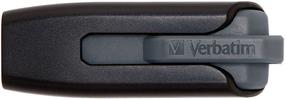
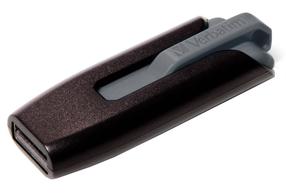
Verbatim 2.5" Store'n'Go
Prekės aprašymas anglų kalba:

The Verbatim Store n Go portable hard drive features high performance storage using a USB 3.0 “Super Speed” interface. USB 3.0 offers up to 10 times faster data transfer rates than USB 2.0 (based on USB bus speed) providing ultra fast data transfer on the go.
Store and carry your digital and day to day working files on this truly mobile drive. Its stylish smooth design sits neatly on the modern desk top as the perfect accompaniment to your laptop.
Store n Go portable hard drive is USB 3.0 bus powered (1 x USB 3.0 interface) yet is backwards compatible to any USB 2.0 ports on your PC or notebook. The drive requires no external power for operation; simply plug n play.
Store ‘n’ Go Portable Hard Drives are formatted in FAT32 enabling you to use them on Windows OS and Mac OS systems.
For added security Nero BackItUp and Burn Essentials software is provided to help back up your laptop or PC's hard drive. BackItUp and Burn Essentials provides 3 applications in 1. Back up all your files, folders, and drives whenever you want, or schedule the auto back up to a set time for added security. Nero Express gives you the option to burn your files to CD or DVD, and with Nero RescueAgent you have an option to recover files should they become damaged.
Nero BackItUp and Burn Essentials Software is compatible with Windows XP, Vista, and Windows 7 (not compatible with Mac OS).
Verbatim Store 'n' Go Portable Hard Drives also comes with Green Button energy saving software. Green Button software suspends the hard drive from spinning while not in use increasing efficiency and saving energy.
There are 3 ‘Sleep Setting’ options. Set the suspend mode to come in after 10 minutes of use, or by increments of 10 minutes up to 120 minutes. Set the drive to suspend immediately by double clicking the Green Button icon on the desktop, alternatively you can set the drive to ‘Never Suspend the disk’.
Prekės aprašymas anglų kalba:
The Verbatim Store n Go portable hard drive features high performance storage using a USB 3.0 “Super Speed” interface. USB 3.0 offers up to 10 times faster data transfer rates than USB 2.0 (based on USB bus speed) providing ultra fast data transfer on the go.
Store and carry your digital and day to day working files on this truly mobile drive. Its stylish smooth design sits neatly on the modern desk top as the perfect accompaniment to your laptop.
Store n Go portable hard drive is USB 3.0 bus powered (1 x USB 3.0 interface) yet is backwards compatible to any USB 2.0 ports on your PC or notebook. The drive requires no external power for operation; simply plug n play.
Store ‘n’ Go Portable Hard Drives are formatted in FAT32 enabling you to use them on Windows OS and Mac OS systems.
For added security Nero BackItUp and Burn Essentials software is provided to help back up your laptop or PC's hard drive. BackItUp and Burn Essentials provides 3 applications in 1. Back up all your files, folders, and drives whenever you want, or schedule the auto back up to a set time for added security. Nero Express gives you the option to burn your files to CD or DVD, and with Nero RescueAgent you have an option to recover files should they become damaged.
Nero BackItUp and Burn Essentials Software is compatible with Windows XP, Vista, and Windows 7 (not compatible with Mac OS).
Verbatim Store 'n' Go Portable Hard Drives also comes with Green Button energy saving software. Green Button software suspends the hard drive from spinning while not in use increasing efficiency and saving energy.
There are 3 ‘Sleep Setting’ options. Set the suspend mode to come in after 10 minutes of use, or by increments of 10 minutes up to 120 minutes. Set the drive to suspend immediately by double clicking the Green Button icon on the desktop, alternatively you can set the drive to ‘Never Suspend the disk’.
Lankytojai taip pat pirko
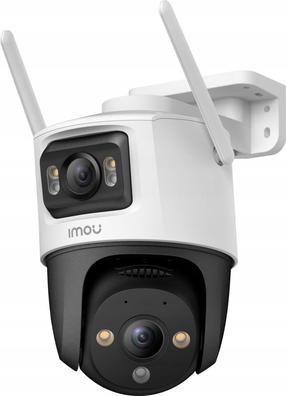
Kupolinė kamera Imou Cruiser Dual
Įprasta kaina
61,90 €
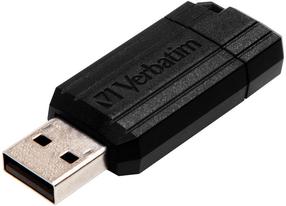
USB atmintinė Verbatim Store 'n' Go Pinstripe, juoda sp., 16 GB
Įprasta kaina
12,69 €