Prekės informacija
Prekės aprašymas anglų kalba:

Amazfit Bip is the newest addition to our portfolio of award-winning smartwatches. Bip features an astonishing 30+ days of battery life on a single charge, a reflective always-on color touch display, GPS, barometer, geomagnetic sensor, PPG heart rate sensor, 3-axis accelerometer for activity, sports and sleep tracking, while weighing only 1.1 ounces (31 grams). Amazfit Bip comes in 4 vibrant color options and allows you to receive emails, text messages, calls and app notifications on the watch display. You can track your runs (indoor and outdoor), cycling and other sports with detailed GPS routes and stats.

Key Features
Record-breaking battery life: Up to 30 days with regular use and up to 45 days with minimal notifications.
Super light weight: Comfortable to wear every day, for sport and sleep tracking.
Notifications: Receive notifications for calls, messages, emails, and other apps on the always-on color touch display.
Multisport tracking: Track your runs, cycling and more with mapped routes, detailed stats and heart rate zones.
Latest technology: GPS, 3-axis accelerometer, optical heart rate sensor, barometer and compass.
Always-on display: the reflective touch screen provides at-a-glance view for time, date, steps, weather, sports stats etc.

Whatever life throws at you
The Amazfit Bip smartwatch is the perfect daily companion to keep you informed and active. Daily step, calorie and distance tracking are a given and motivate you to get up more often. The reflective always-on display is easily readable in bright sunlight or indoors and shows all of your phone's app notifications like calendar alerts, text messages (you can read the full text), emails, Facebook, Twitter, WhatsApp, WeChat, LinkedIn, Snap, Slack, you name it. From the color touch screen you can choose different pre-installed apps to access local weather forecasts, alarms, timer, compass, daily status overview including heart rate and the sports tracking options. Currently Bip supports outdoor running, treadmill, cycling and walking with more sports modes and apps being added with subsequent software updates. Every sport tracking mode provides detailed stats and GPS maps to track time, speed, pace, stride length, heart rate zone, elevation, burned calories and more depending on the sport mode selected. When you regenerate the watch can provide detailed sleep tracking like duration, deep sleep and light sleep phases as well as awake times. Bip is simply an all around great smartwatch!

Frequently Asked Questions
Which app should I use with Amazfit Bip? In order to pair your watch, sync your data and adjust your settings please use the "Mi Fit" mobile app, available for Apple iOS and Google Android.
Can we get other sports modes and features? Yes, we constantly listen to our community's feedback and incorporate it into our software development roadmap to launch new features. If you have any suggestions, please let us know through support@amazfit.com.
How do I switch between Metric and Imperial unit measurements? Open the Mi Fit app, click on "Settings > Units" and change it to whatever you prefer.
Where do I adjust the watch weather settings? In order to set your local weather forecast, please open the Mi Fit app, click on "Amazfit Bip" to access all watch settings and scroll down to "Weather settings", enter your city of choice and choose between Fahrenheit and Celsius.
Amazfit Bip is the newest addition to our portfolio of award-winning smartwatches. Bip features an astonishing 30+ days of battery life on a single charge, a reflective always-on color touch display, GPS, barometer, geomagnetic sensor, PPG heart rate sensor, 3-axis accelerometer for activity, sports and sleep tracking, while weighing only 1.1 ounces (31 grams). Amazfit Bip comes in 4 vibrant color options and allows you to receive emails, text messages, calls and app notifications on the watch display. You can track your runs (indoor and outdoor), cycling and other sports with detailed GPS routes and stats.
Key Features
Record-breaking battery life: Up to 30 days with regular use and up to 45 days with minimal notifications.
Super light weight: Comfortable to wear every day, for sport and sleep tracking.
Notifications: Receive notifications for calls, messages, emails, and other apps on the always-on color touch display.
Multisport tracking: Track your runs, cycling and more with mapped routes, detailed stats and heart rate zones.
Latest technology: GPS, 3-axis accelerometer, optical heart rate sensor, barometer and compass.
Always-on display: the reflective touch screen provides at-a-glance view for time, date, steps, weather, sports stats etc.
Whatever life throws at you
The Amazfit Bip smartwatch is the perfect daily companion to keep you informed and active. Daily step, calorie and distance tracking are a given and motivate you to get up more often. The reflective always-on display is easily readable in bright sunlight or indoors and shows all of your phone's app notifications like calendar alerts, text messages (you can read the full text), emails, Facebook, Twitter, WhatsApp, WeChat, LinkedIn, Snap, Slack, you name it. From the color touch screen you can choose different pre-installed apps to access local weather forecasts, alarms, timer, compass, daily status overview including heart rate and the sports tracking options. Currently Bip supports outdoor running, treadmill, cycling and walking with more sports modes and apps being added with subsequent software updates. Every sport tracking mode provides detailed stats and GPS maps to track time, speed, pace, stride length, heart rate zone, elevation, burned calories and more depending on the sport mode selected. When you regenerate the watch can provide detailed sleep tracking like duration, deep sleep and light sleep phases as well as awake times. Bip is simply an all around great smartwatch!
Frequently Asked Questions
Which app should I use with Amazfit Bip? In order to pair your watch, sync your data and adjust your settings please use the "Mi Fit" mobile app, available for Apple iOS and Google Android.
Can we get other sports modes and features? Yes, we constantly listen to our community's feedback and incorporate it into our software development roadmap to launch new features. If you have any suggestions, please let us know through support@amazfit.com.
How do I switch between Metric and Imperial unit measurements? Open the Mi Fit app, click on "Settings > Units" and change it to whatever you prefer.
Where do I adjust the watch weather settings? In order to set your local weather forecast, please open the Mi Fit app, click on "Amazfit Bip" to access all watch settings and scroll down to "Weather settings", enter your city of choice and choose between Fahrenheit and Celsius.
Lankytojai taip pat pirko
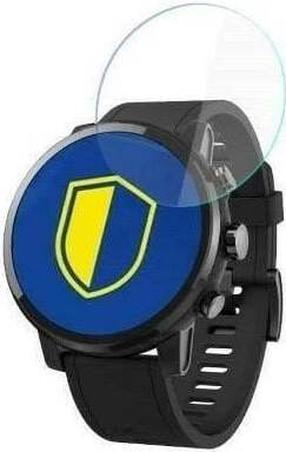
Apsauginis stikliukas 3MK, Glass for Xiaomi Amazfit Stratos Plus, skaidri sp.
7,99 €
Įprasta kaina
10,69 €
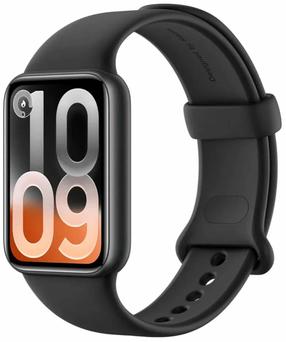
Išmanioji apyrankė Xiaomi Smart Band 10 Pro BHR08W9GL, midnight black sp.
67,71 €
Įprasta kaina
91,90 €
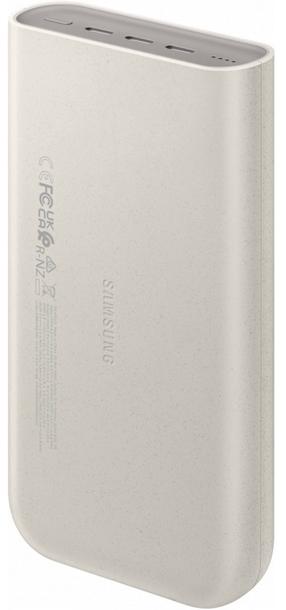
Nešiojamas įkroviklis (Power bank) Samsung P4520XUE, 20000 mAh, 45 W, smėlio sp.
34,90 €
Įprasta kaina
40,90 €